
NodePit for KNIME
NodePit for KNIME is a free extension that brings NodePit into your KNIME Analytics Platform. Find and install nodes, and store and share workflows, without leaving KNIME. It has three parts, which you can use independently: the NodePit View for browsing NodePit, NodePit Space for your workflows, and the NodePit Nodes for the NodePit API. NodePit Space and the nodes work in both the Modern UI and the classic user interface; the NodePit View is part of the classic user interface.
Getting it
You install it like any other extension, from the update site for your KNIME version: https://download.nodepit.com/5.12 for KNIME 5.12, https://download.nodepit.com/5.4 for KNIME 5.4, and so on. This one site offers all NodePit extensions, so you add it only once. The product page has the steps, and Installing Nodes explains them in detail.
The extension works without an account. A free NodePit account lets you bookmark items and upload workflows, which NodePit Space needs. You can create one on nodepit.com. To sign in from KNIME, click Preferences in the top right corner (in the classic user interface, File → Preferences), go to KNIME → NodePit, and enter your username and password.
NodePit View
The NodePit View brings the NodePit website into the classic user interface of KNIME: it is a view in which you search and browse, without switching windows. The Modern UI has no place for it, so there you install from the update site. It also installs for you. Find the node or workflow you want, and the view installs it with one click, so there is no copying of addresses and no manual downloading of files. Installing Nodes shows how to open the view and use it.
NodePit Space
NodePit Space is storage for your workflows. Upload workflows to NodePit, share what you want with others, and open everything again from any machine, in the browser or in KNIME. See NodePit Space for how to set it up.
NodePit Nodes
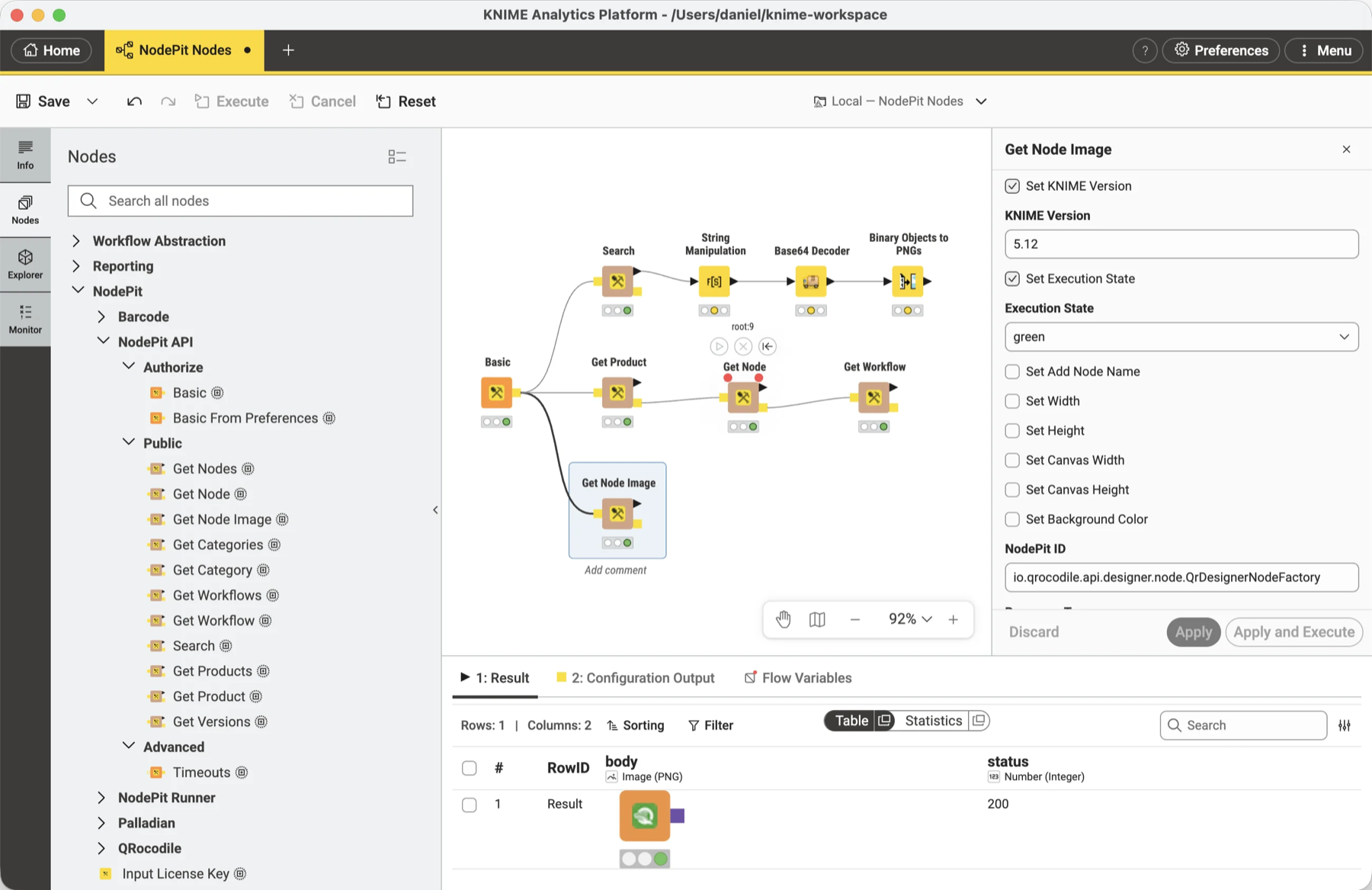
The NodePit Nodes give a workflow access to the NodePit REST API. Use them to fetch information about products, nodes, and workflows from NodePit and process it in a workflow, or to search the catalog as the start of a project of your own. You find them in the NodePit API category of the node repository. See NodePit Nodes for what they offer and how to connect them.
Getting help
Questions and ideas are welcome. Use the feedback form, and tell us about the projects you build with the NodePit Nodes.