
Using Node Icons in Documentation
When you write a guide, a wiki page, or a blog post about a workflow, the icons of its nodes make it easier to read. NodePit draws them for you, with the name and the traffic light if you like, so you do not have to take screenshots.
Embed an image
Add the address of the image to your page. In Markdown:
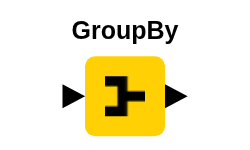The same address works in an image tag. Set a backgroundColor, as the example does, if you cannot be sure about the color of the page, because the icons are dark. Node Images lists all parameters.
Save a copy
Embedding loads the image from NodePit every time your page is viewed. For a page that you publish, download the image once and serve it yourself:
curl -s -o group-by.png \
"https://nodepit.com/api/nodes/org.knime.base.node.preproc.groupby.GroupByNodeFactory/image?imageType=png&addNodeName=true&canvasWidth=200&canvasHeight=120&backgroundColor=white"2
Draw a whole workflow
To draw several nodes, repeat the request for each ID. The loop below saves one image for every ID in a list:
for id in org.knime.base.node.preproc.groupby.GroupByNodeFactory io.qrocodile.api.designer.node.QrDesignerNodeFactory; do
  curl -s -o "$id.png" \
    "https://nodepit.com/api/nodes/$id/image?imageType=png&addNodeName=true&canvasWidth=200&canvasHeight=120&backgroundColor=white"
done2
3
4
Send the requests one after the other, and not many at a time. Images have a lower request limit than the rest of the API.